

The Smart Alternative to Google Forms for HR
Create application forms in minutes, screen every applicant against your requirements, and instantly see who fits each role best — fast, secure, and spreadsheet-free.
Prefer that we set it up for you?
Leave your details and our team will contact you within 24 hours to help set up your organization.
Why bev?
Applications pile up fast — but spreadsheets, inboxes, and generic forms slow you down.
Purpose-built application forms for NGOs and companies, with smart filters that place every candidate in the best-fit role instantly.
Why to use Bev?
Everything you need to manage candidates effectively
Quicker Matching
3x We analyze each applicant's skills, availability, and preferences to surface the best match for every role and project.
Finding the right candidates
50% Access a diverse pool of pre-screened candidates with verified skills and experience.
Smart System
100% Get personalized recommendations for roles, projects, and opportunities based on your needs.
How it works?
1
1
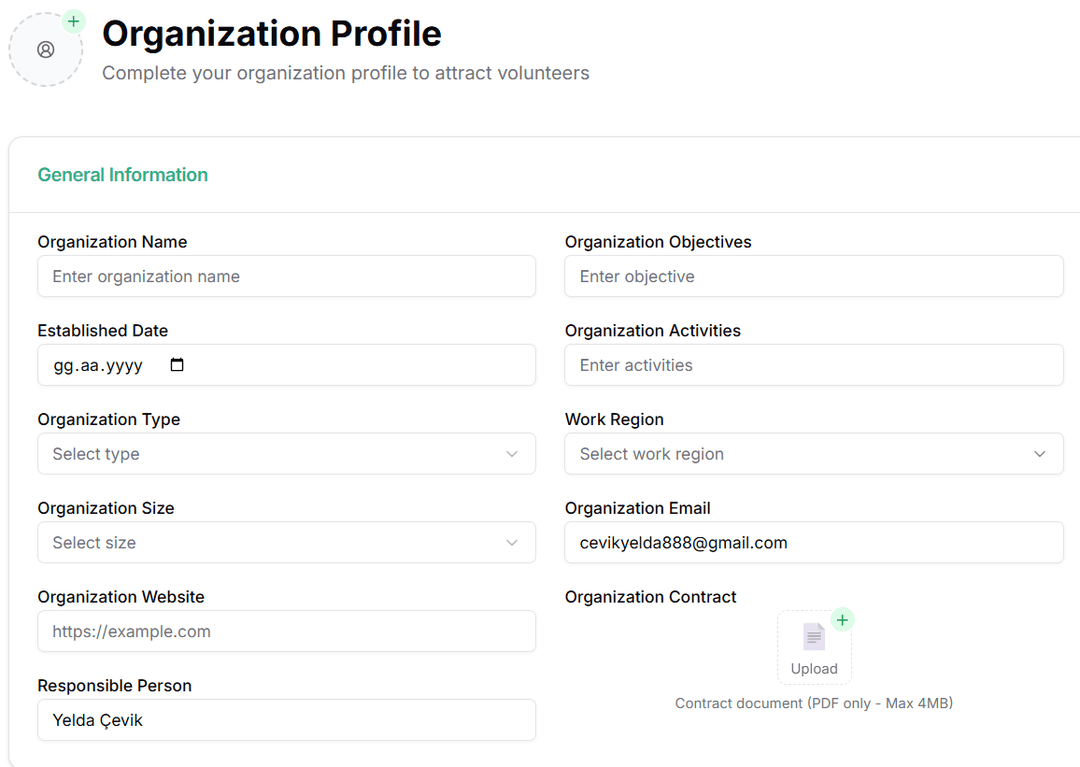
Create a profile
Enter the details of your profile, skills, Logo, location, and add your certification for approval.
2
2
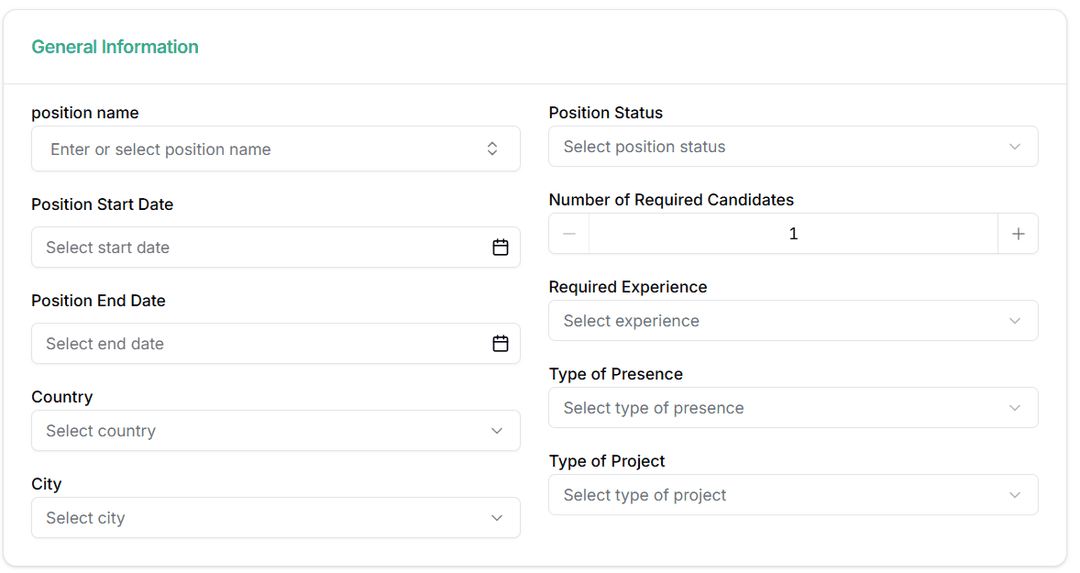
Create your projects
Create your projects that you need to hire to collect candidates in the form.
3
3
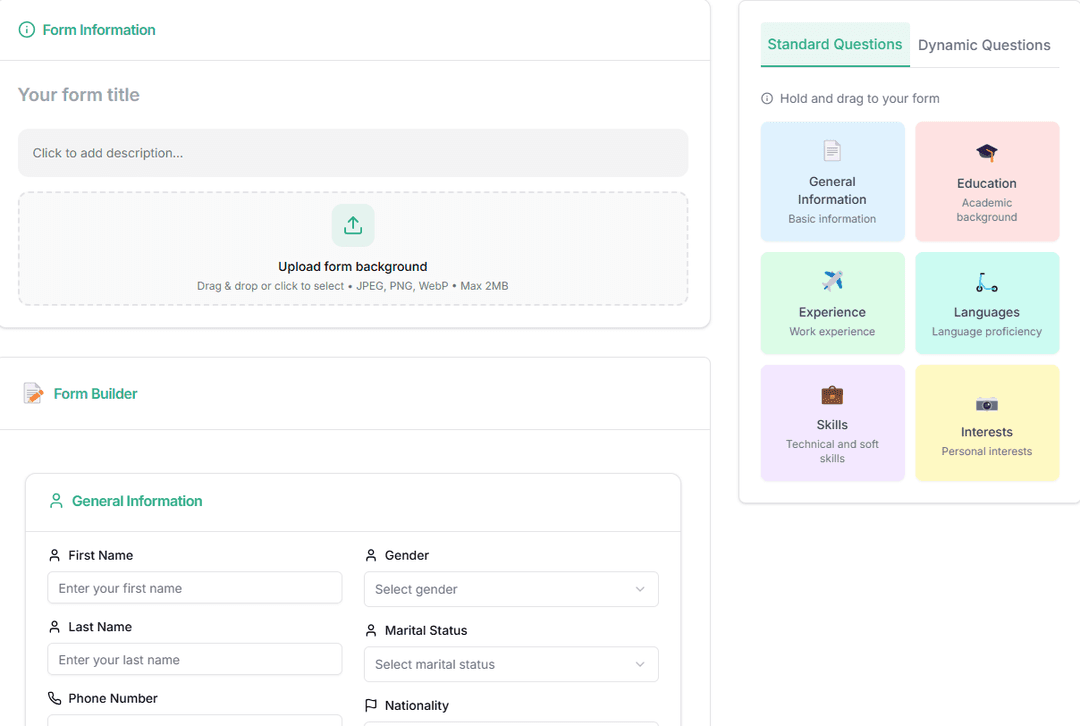
Create your forms
Create your form — every submission is checked against your requirements and matched to the right position instantly.
Frequently Asked Questions
If you have any questions, feel free to contact us.
Click Sign up, choose whether you are an organization or a job seeker, enter your email, and verify it. Your dashboard is ready in under a minute.
No — NGOs, companies, and volunteer groups all use Bevsr. Forms, matching rules, and workflows adapt to hiring employees or recruiting volunteers alike.
Go to Forms → New Form. Add the fields you need (skills, languages, availability), then publish via link, QR code, or website embed. Full walkthrough in the guide.
Tell each position what it needs — skills, languages, availability. When a candidate submits your form, their answers are checked against those requirements and they are tagged with the positions they fit best, ranked and ready for you to review.
Yes — export your submissions to CSV/Excel anytime from your forms and applications pages.
Email us or use the contact page — we usually reply within one business day.
Didn't find the answer you are looking for?Contact our support